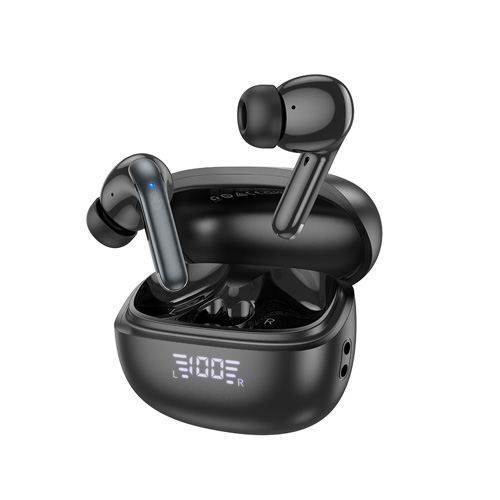
The Hoco EQ5 True Wireless Earbuds raised the bar for both sound quality and usability. With the latest Bluetooth 5.3 technology, these earbuds provide faultless connection and exceptional compatibility with both iPhone and Android handsets, making them suitable for both casual listeners and audiophiles. Whether you are working out, traveling, or just relaxing at home, the Hoco EQ5 earphones are said to offer an unparalleled listening experience that lets you enjoy your favorite music in comfort and style.
Superior Sound Quality and Noise Control
The Hoco EQ5 earbuds are a great option for anyone who appreciates sound quality because of its sophisticated Active Noise Cancellation (ANC) and Environmental Noise Cancellation (ENC) features. By successfully reducing background noise, ANC technology makes it possible for you to focus entirely on your music, podcasts, or audiobooks without interruptions. ENC technology, on the other hand, improves call quality by eliminating background noise, allowing you to have clear, sharp conversations even in loud settings. The Hoco EQ5 earphones are ideal for both music enthusiasts and professionals who make a lot of calls because of their dual functionality.
Comfortable and Secure Fit
User comfort was a priority when designing the Hoco EQ5 earbuds. Their ergonomic shape allows them to fit securely and snugly in your ears. Whether you are working out at the gym or going for a long stroll, these sweatproof headphones will not fall out. Ear tips come in a variety of sizes to ensure a personalized fit, enhancing comfort and sound isolation for the finest listening experience.
Specifications:
- Hoco ESD15 Bluetooth V5.3 Headphones have cushions that limit ear pain and sound output
- Compatible: Bluetooth, TF CARD, AUX
- Frequency: 2.402-2.480GHz
- Operating range: 10 meters
- LED power indicator Standby time: more than 200 hours
- Music playback time: 12 hours of continuous use
- USB Type-C charging interface
- Charging time: about 2.5 hours
- Supported protocols: A2DP, AVRCP, HSP, HFP
- Press and hold “Switch” for 3 seconds, until the indicator light displays. The red and blue LEDs will light up
- Turn on the wireless function on your mobile device
- Find and select “HOCO ESD15”
- Support Chinese and English voice prompts: Press the M button twice (in unpaired state)





 Save
Save
 Add to Compare